


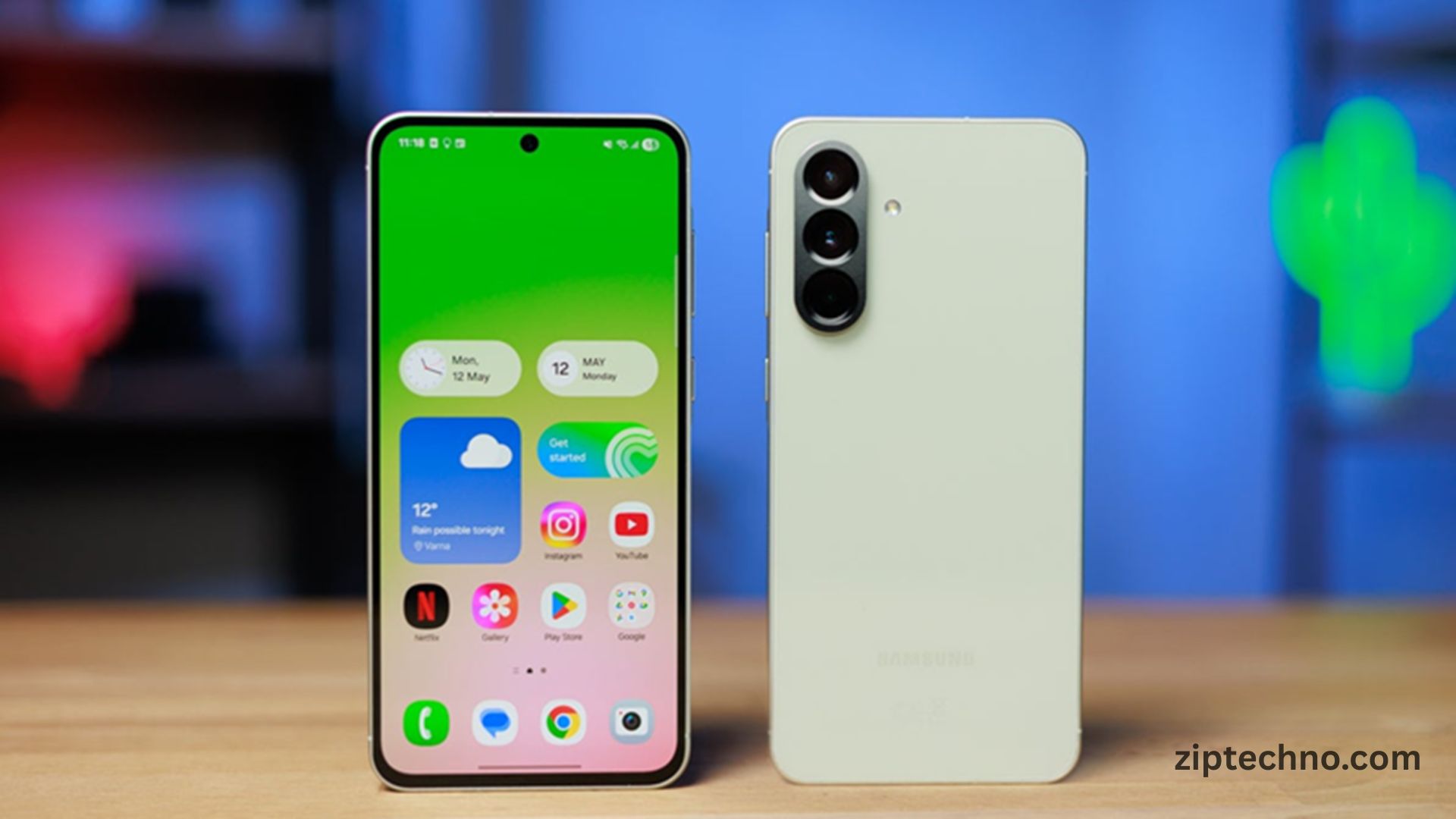
Samsung has officially released the first software update for the Galaxy A57, signaling a major step forward for users who have been eagerly waiting for performance improvements and new features. The Galaxy A57, part of Samsung’s popular A-series lineup, has already gained attention for its sleek design, powerful performance, and value-for-money specifications. With the first software update, Samsung aims to enhance the overall user experience, address existing bugs, and provide important security enhancements.
Software updates are critical for smartphones, especially mid-range devices like the Galaxy A57, as they ensure the device remains secure, fast, and compatible with new apps and services. Users who own the Galaxy A57 can now enjoy improvements in system stability, camera performance, and user interface responsiveness.
What’s Included in the Galaxy A57 First Software Update
The first software update for the Galaxy A57 comes with several key enhancements. Most notably, the update improves system stability, making day-to-day operations smoother and reducing the chances of random app crashes. Users can also expect faster app launches and improved multitasking, which enhances productivity.
Security has been a major focus of this update. Samsung has incorporated the latest Android security patches, protecting users from potential vulnerabilities and threats. The update also addresses minor bugs reported by early users, such as camera lag, occasional freezes, and notification delays.
Camera performance has been optimized as well. Samsung has refined image processing algorithms, ensuring that photos taken in low-light conditions are brighter and clearer. Video recording stability has also improved, reducing jitter during motion capture.
Additionally, the update includes user interface improvements that make the experience more intuitive. Menus are smoother, animations are more fluid, and the overall One UI interface feels more responsive.
How to Check for the Update on Your Galaxy A57
Users can easily check whether the first software update is available for their Galaxy A57. To do this, navigate to Settings > Software Update > Download and Install. If the update is available, the device will prompt the user to download it over a Wi-Fi connection. It is recommended to ensure the battery is at least 50% charged before initiating the update to avoid interruptions.
Samsung has confirmed that the update is being rolled out in stages, which means availability may vary depending on the region and carrier. Users are advised to keep checking periodically if the update does not appear immediately.
Importance of Software Updates for Galaxy A57 Users
Software updates are essential for keeping devices secure, stable, and optimized. For Galaxy A57 users, this first update is particularly important because it addresses issues that early adopters reported after launching the device. Without updates, devices may experience slower performance, increased crashes, or security vulnerabilities.
Security patches included in the update protect the Galaxy A57 from malware and exploits targeting outdated software. With frequent updates, Samsung ensures that users are protected from potential threats that could compromise sensitive information, such as personal photos, emails, and banking details.
Moreover, software updates often include performance improvements. For mid-range devices like the Galaxy A57, this can mean faster multitasking, smoother app usage, and better battery management. Over time, these updates help the phone maintain a “like-new” experience even months after purchase.
User Feedback on the Galaxy A57 First Update
Early reports from users who received the first update suggest a noticeable improvement in overall device performance. Many users have highlighted the smoother system animations and faster response times, especially when switching between apps or scrolling through menus.
Camera performance is another area where users have reported positive changes. Low-light photos are clearer, and video recording has fewer jitters. Users also appreciate the bug fixes, particularly those addressing notification delays and minor app crashes.
Some users have noted that battery performance seems slightly improved, with better power management during heavy usage. While this is not a dramatic change, it contributes to an overall smoother experience for daily tasks.
Potential Issues and How to Fix Them
While most users experience improvements after updating, a few may encounter minor issues. Some common problems include slow download speed, failed installations, or increased battery consumption immediately after the update.
If the update fails to install, users are advised to restart their device and attempt the update again. Clearing cache from the device storage or performing a soft reset can also resolve minor glitches. For persistent issues, Samsung’s support team can provide assistance, and official service centers are available for troubleshooting.
Why the Galaxy A57 Update Matters in 2026
In 2026, software updates have become more than just bug fixes—they are critical for ensuring longevity and performance. For the Galaxy A57, this first update is a demonstration of Samsung’s commitment to providing consistent support for mid-range devices. Users investing in the A-series benefit from timely updates that keep their phones secure and compatible with the latest apps and services.
Regular updates also improve the resale value of the device. A Galaxy A57 with the latest software is more appealing to potential buyers, as it ensures security, performance, and access to new features.
How Samsung Rolls Out Updates
Samsung generally releases updates in stages, prioritizing major markets and flagship devices first. Mid-range devices like the Galaxy A57 may receive updates slightly later, depending on region and carrier testing.
The staged rollout approach allows Samsung to monitor for any critical issues that may arise, minimizing the risk of widespread bugs. Feedback from initial users is often used to make minor adjustments before the update reaches a larger audience.
Tips for a Smooth Update Experience
To ensure a seamless update on the Galaxy A57, users should follow a few key steps. Backing up important data is essential to prevent any accidental loss. Ensuring a stable Wi-Fi connection and sufficient battery life prevents interruptions during the installation. Users should avoid heavy app usage during the update process to minimize potential conflicts.
Read More:
New Features in the Galaxy A57 Update
Beyond bug fixes and performance improvements, the first update introduces subtle but noticeable features. Enhanced camera modes, minor UI tweaks, and better system responsiveness are highlights. Samsung has refined animations and gestures to make navigation smoother, improving overall usability.
Connectivity features, including Wi-Fi stability, Bluetooth pairing, and GPS accuracy, have also been optimized. Users may notice fewer dropped connections and more consistent performance during calls or while using apps that require network access.
Security Enhancements
Security is a critical focus for any software update. The Galaxy A57 update includes the latest Android security patch, protecting the device from potential exploits and vulnerabilities. Features such as app permission management, enhanced biometric security, and improved malware detection contribute to a safer user experience.
For users storing sensitive information on their devices, these updates provide peace of mind, ensuring personal data remains protected against evolving cyber threats.
Comparing Galaxy A57 Updates to Other Samsung Devices
While flagship Samsung devices often receive updates first, the Galaxy A57 shows that mid-range phones are not neglected. Samsung has consistently improved its update policy, offering regular software patches and enhancements to a wider range of devices.
Compared to previous A-series models, the Galaxy A57’s first update is more comprehensive, addressing multiple user concerns and adding subtle improvements that enhance daily usability. This reflects Samsung’s focus on user satisfaction across its product lineup.
Impact on User Experience
After installing the first software update, Galaxy A57 users can expect a smoother, faster, and more reliable experience. System responsiveness improves, camera performance is enhanced, and security features are up-to-date. Daily tasks such as app usage, media playback, and multitasking feel more seamless, creating a more enjoyable smartphone experience.
Battery optimization also helps extend usage between charges, although heavy users may still experience normal consumption levels. Overall, the update ensures that the Galaxy A57 remains competitive in the mid-range smartphone segment in 2026.
FAQs (Frequently Asked Questions)
How do I install the Galaxy A57 first software update?
Go to Settings > Software Update > Download and Install to check availability.
What improvements does the update include?
The update enhances system stability, camera performance, UI responsiveness, and security.
Is this update available globally?
It is being rolled out in stages, so availability may vary by region and carrier.
Will the update affect battery life?
Battery optimization has improved, though initial usage may slightly change battery consumption.
Can the update fail to install?
Yes, restarting the device, clearing cache, or contacting Samsung support can help resolve issues.
Does the update add new features?
Yes, subtle UI improvements, camera enhancements, and connectivity optimizations are included.
How important is the update for security?
The update includes the latest Android security patch, protecting against vulnerabilities and malware.
Will older A-series devices get similar updates?
Samsung provides updates for multiple A-series devices, though timing and features may vary.
Conclusion:
The first software update for the Galaxy A57 demonstrates Samsung’s commitment to supporting its devices with regular improvements, security patches, and feature enhancements. Users benefit from improved system performance, refined camera functionality, smoother UI, and stronger security protections.
For Galaxy A57 owners, this update is a reminder of the importance of staying current with software patches to maintain optimal device performance, security, and usability. Samsung continues to prioritize updates across all device segments, ensuring that even mid-range phones like the Galaxy A57 receive timely support and improvements.
The rollout of this update reinforces the value of Samsung’s A-series in 2026, providing users with a reliable, efficient, and feature-rich smartphone experience that rivals many flagship devices.
