


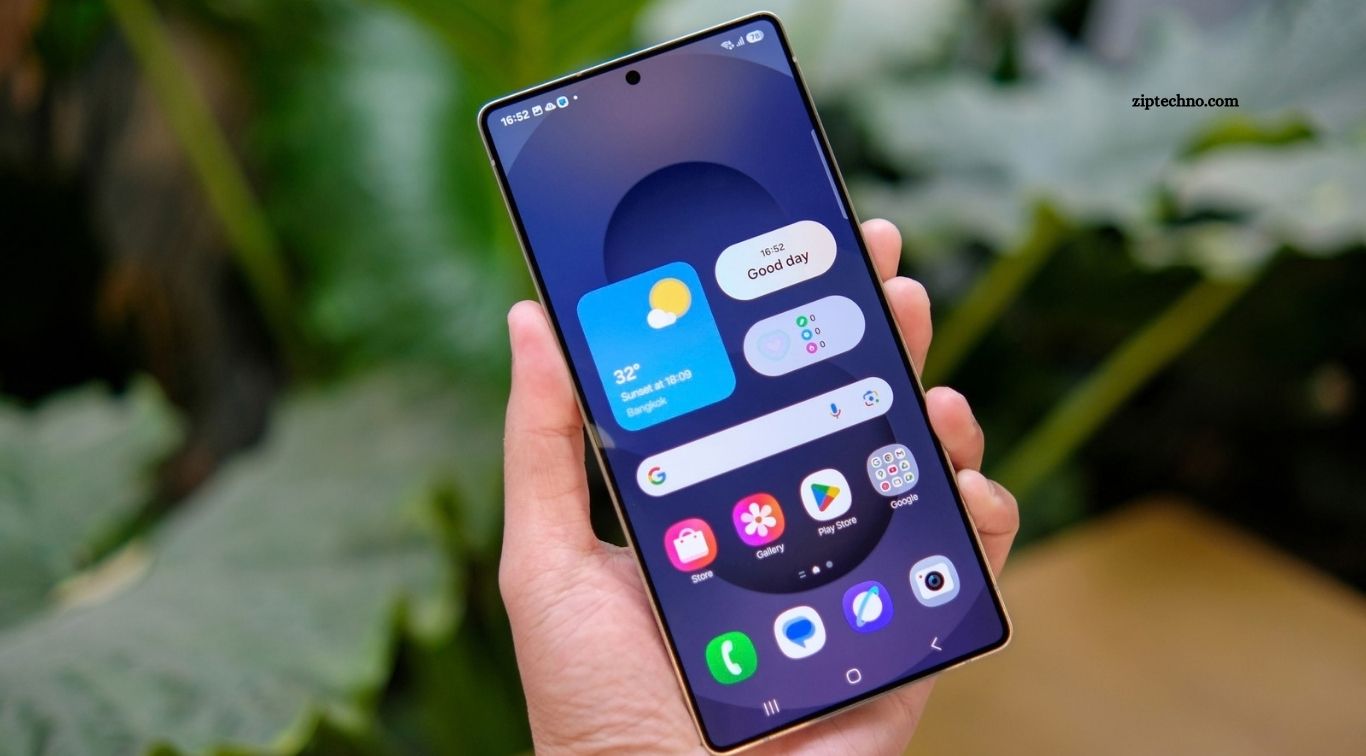
Android smartphones have become essential tools for communication, work, learning, entertainment, and daily organization. However, the right collection of apps can make a smartphone even more useful. From managing personal information to protecting online accounts, carefully selected Android apps help users save time, improve productivity, and enjoy a smoother mobile experience.
With millions of applications available, choosing the most useful ones can feel overwhelming. The best approach is to focus on apps that solve everyday problems, offer reliable features, and protect personal information. Whether you use your phone for studying, business, travel, or entertainment, several essential Android apps can help you get more value from your device.
Read More: New Android Apps Everyone Is Downloading
Google Drive for Cloud Storage
Google Drive is a useful Android app for storing documents, photographs, PDFs, and other files online. It allows users to access their files across supported devices, making it easier to switch between smartphones, tablets, and computers without relying entirely on local storage.
The app also supports file sharing and collaboration, which can benefit students, professionals, and families. Users should organize files carefully, review sharing permissions, and understand their available storage limits to keep important information accessible and secure.
Google Keep for Notes and Reminders
Google Keep helps users capture ideas, create checklists, and save reminders without navigating complicated menus. It is particularly useful for grocery lists, study notes, quick thoughts, daily tasks, and information that needs to be remembered later.
Color labels, pinned notes, and reminders make it easier to organize information quickly. For smartphone users who frequently forget small tasks or need a simple place to store ideas, a lightweight note-taking app can become part of an effective daily routine.
Google Calendar for Time Management
Google Calendar helps users organize appointments, meetings, birthdays, deadlines, and personal activities. Its reminders and scheduling features make it easier to understand upcoming commitments and plan the day more effectively.
Users can create separate calendars for work, education, and personal activities. Color coding and recurring events also simplify organization, while synchronization helps keep schedules available across supported devices.
Microsoft To Do for Task Management
Microsoft To Do is useful for people who want a dedicated place to manage responsibilities. Users can create task lists, set due dates, add reminders, and break larger projects into smaller steps.
The app can be particularly helpful for students, office workers, and small business owners managing several priorities. Reviewing tasks each morning and marking completed activities throughout the day can improve organization without requiring a complicated planning system.
Bitwarden for Password Security
A password manager helps users store login credentials securely rather than reusing the same password across multiple websites. Bitwarden provides tools for managing passwords and generating stronger credentials, helping users improve their online security.
Using a password manager can reduce the temptation to choose simple passwords or save them in unprotected notes. Users should protect their vault with a strong master password, enable multifactor authentication where available, and keep recovery information in a safe place.
Google Authenticator for Account Protection
Google Authenticator generates verification codes that can provide an additional layer of security when signing in to supported accounts. These codes help protect accounts even when someone else learns the password.
Users should enable multifactor authentication on important accounts whenever possible. They should also review backup and account-recovery options before changing phones so they do not accidentally lose access to verification codes.
Firefox for Web Browsing
Firefox offers an alternative to the default Android browser, with features designed to support everyday browsing and greater control over the online experience. Depending on the configuration, users can access tracking protection, extensions, bookmarks, and synchronized browsing information.
Choosing a browser comes down to personal preferences, privacy needs, and compatibility with frequently used websites. Whichever browser you choose, keep it updated, avoid suspicious downloads, and check privacy settings regularly.
Google Maps for Navigation
Google Maps helps users find directions, discover nearby businesses, check routes, and explore unfamiliar areas. It can support walking, driving, public transportation, and other available travel options, depending on the location.
Offline maps can be especially helpful when traveling through areas with unreliable internet access. Download the required map area in advance and remember that live traffic, business details, and some navigation features may require a connection.
Google Photos for Photo Management
Google Photos helps users organize and find photographs and videos through search, albums, and available editing tools. Backup features can help preserve memories when configured correctly, although storage availability and backup settings should be reviewed.
Before deleting photographs from your device, confirm how the app handles backed-up files and synchronized deletion. Reviewing storage usage and organizing important images into albums can make a large photo collection easier to manage.
VLC for Media Playback
VLC is a versatile media player that supports many common audio and video formats. It can be useful for watching downloaded videos, listening to recordings, and playing media files without needing a separate application for every format.
Its straightforward interface and broad format support make it a practical choice for people who keep videos, music, or educational recordings on their smartphones. Download media players from trusted sources and be cautious about files from unfamiliar websites.
Files by Google for File Management
Files by Google helps users browse downloads, organize documents, locate large files, and manage available storage. It can make it easier to identify unnecessary files and understand what is occupying space on an Android phone.
Regular file management can improve convenience, particularly on devices with limited storage. Before deleting anything, check whether it contains important documents, photographs, or downloaded materials that may be difficult to replace.
Canva for Simple Graphic Design
Canva makes it easier to create social media graphics, presentations, invitations, posters, and other visual materials directly from an Android smartphone. Its templates and editing tools help beginners produce attractive designs without advanced graphic design skills.
The app can be useful for students, content creators, freelancers, and small businesses. Some design elements and advanced features may require a paid plan, so check the available options before building a project around a specific feature.
Snapseed for Photo Editing
Snapseed offers photo-editing tools that help users improve brightness, contrast, color, sharpness, and other image qualities. It can be useful for enhancing travel photographs, portraits, product images, and everyday smartphone pictures.
Rather than applying too many effects, users can often achieve better results through small adjustments. Keeping edits natural can preserve important details and make photographs look more polished without appearing artificial.
Google Translate for Language Assistance
Google Translate helps users understand text and communicate across languages. Depending on the selected languages and device features, it can support typed translation, camera-based text translation, voice input, and offline translation packs.
The app can be particularly useful when traveling, studying, or reading information in another language. However, automated translations are not always perfect, so important legal, medical, or official documents should be reviewed by a qualified human translator when accuracy matters.
ChatGPT for Everyday Assistance
ChatGPT can help Android users brainstorm ideas, summarize information, draft messages, explain unfamiliar topics, and organize plans. It can also support learning by explaining concepts in simpler language or helping users explore different approaches to a problem.
Like other AI tools, its responses can sometimes contain mistakes or outdated information. Verify important claims before relying on them, avoid sharing sensitive personal details unnecessarily, and treat its output as assistance rather than a substitute for professional judgment.
Spotify for Music and Podcasts
Spotify gives users access to music, podcasts, and personalized listening recommendations, depending on availability and subscription options. It can make commuting, exercising, studying, or relaxing more enjoyable by bringing audio entertainment into one application.
Offline listening and other features may depend on the subscription plan and content rights. Users should also manage notifications and background playback settings to balance convenience with battery consumption and mobile data usage.
WhatsApp for Communication
WhatsApp is widely used for personal conversations, group chats, voice calls, video calls, and sharing files. It can also help families, classmates, teams, and small businesses stay connected without relying entirely on traditional text messaging.
Account security deserves attention because messaging apps can contain private conversations and documents. Enable available security features, verify unusual requests for money or verification codes, and review group privacy settings to reduce unwanted contact.
Proton Mail for Private Email
Proton Mail is an email service designed with a strong focus on privacy and encryption. It can be useful for users who want an alternative to conventional email services for personal communication and account management.
Before switching email providers, review storage limits, recovery options, compatibility, and the features included in free and paid plans. No email service eliminates every privacy risk, so users should still practice caution with attachments, suspicious links, and sensitive information.
How to Choose the Right Android Apps
The best apps depend on how you use your smartphone. Students may prioritize note-taking, calendars, translation, and educational tools, while professionals may need cloud storage, task management, secure passwords, and communication apps. Photography enthusiasts may focus on editing, while frequent travelers may benefit most from maps and translation tools.
Before installing an application, check its developer, recent reviews, update history, privacy policy, permissions, and compatibility with your device. Download apps through Google Play or another reputable source, and avoid applications that request unnecessary access to contacts, messages, location, or other sensitive information.
Keep Your Android Apps Secure and Updated
Installing useful apps is only part of maintaining a reliable smartphone. Regular updates can provide security fixes, compatibility improvements, bug corrections, and new features. Enable automatic updates if appropriate for your data plan, or review available updates manually.
It is also worth removing applications you no longer use and reviewing permissions periodically. Use a screen lock, protect important accounts with multifactor authentication, and back up essential files. These simple habits can help keep your Android phone organized, secure, and dependable.
Frequently Asked Questions
Which Android apps should every smartphone user have?
Useful categories include a browser, messaging app, password manager, navigation tool, cloud storage service, calendar, note-taking app, and media player.
Are free Android apps worth downloading?
Yes. Many free apps provide valuable features, although some include advertisements, storage limits, or paid upgrades. Review their privacy policies and permissions before installing them.
How can I find safe Android apps?
Start with Google Play or another reputable app source, check the developer and recent reviews, examine requested permissions, and keep installed apps updated.
Do Android apps slow down smartphones?
Some apps consume substantial memory, storage, battery power, or background data. Removing unnecessary apps and limiting unwanted background activity can improve the overall experience.
Which Android apps help improve productivity?
Google Calendar, Google Keep, Microsoft To Do, Google Drive, and ChatGPT can help users organize schedules, manage tasks, store information, and develop ideas.
How often should I update Android apps?
Check for updates regularly or enable automatic updates when suitable. Updates can fix bugs, address security issues, improve compatibility, and introduce useful features.
Conclusion
Essential Android apps can make everyday smartphone use easier, safer, and more productive. Cloud storage, password management, navigation, communication, photo editing, task planning, and AI assistance all provide practical benefits when they match your needs. You do not need to install every popular application to build a useful smartphone setup. Start with a few reliable tools, explore their features, and remove anything that adds unnecessary complexity.
