


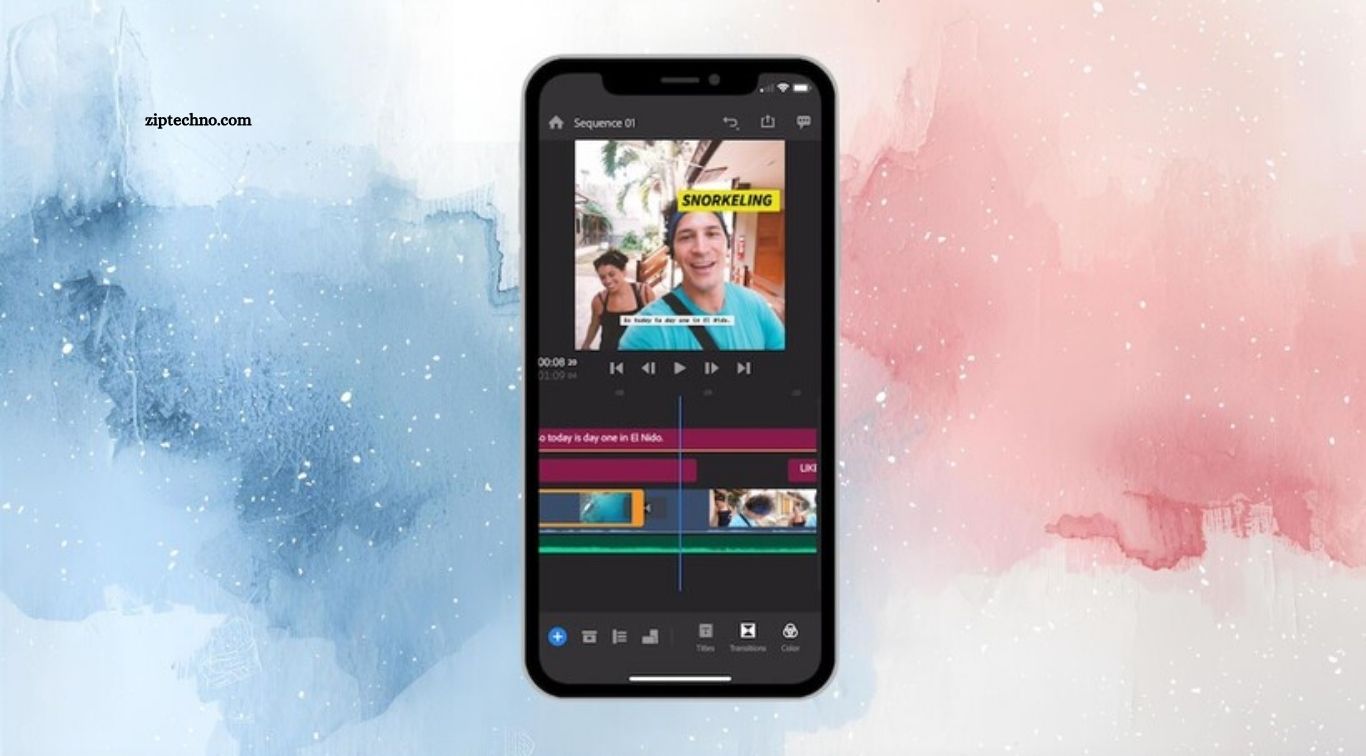
Video content has become an important part of social media, education, business, entertainment, and personal storytelling. Android smartphones now offer capable cameras that allow users to record high-quality videos almost anywhere. With the right video editing app, those recordings can be transformed into polished, engaging content without requiring a computer or advanced editing equipment.
The best video editing apps for Android provide tools for trimming clips, adding music, applying transitions, adjusting colors, inserting text, and creating social media content. Some applications focus on simplicity for beginners, while others provide advanced features for experienced creators. Choosing the right app depends on editing skills, content goals, device performance, and the type of videos you want to create.
Read More: Android Apps That Improve Battery Life
CapCut for Creative Mobile Editing
CapCut is widely recognized for its user-friendly interface and extensive collection of video editing features. The app provides tools for trimming clips, adding transitions, applying effects, creating text overlays, and adjusting video speed. Its straightforward workflow makes it suitable for users who want to create social media videos directly from an Android phone.
CapCut also includes creative tools designed for short-form content and visual storytelling. Users can experiment with templates, filters, animations, captions, and audio features depending on availability in their region and app version. Its combination of accessible editing controls and creative features makes it useful for many casual creators.
InShot for Simple Video Editing
InShot is designed for users who want a straightforward way to edit videos and photos on Android. Its interface makes common tasks such as trimming, cropping, resizing, adding music, and inserting text relatively easy. The app is particularly useful for creating content optimized for social media platforms.
The application also provides filters, transitions, stickers, and other creative tools that can help personalize videos. Users can quickly turn multiple clips into a short presentation or social media post without learning complicated editing software. InShot can be a practical choice for beginners who prioritize simplicity.
VN Video Editor for Advanced Control
VN Video Editor provides a broader editing environment for users who want more control over their projects. Its timeline-based interface supports multiple video and audio layers, making it possible to create more complex edits. Users can cut clips, arrange scenes, add transitions, and adjust different elements within a project.
The app can be useful for creators who are moving beyond basic editing and want a more traditional editing workflow on mobile. Features such as keyframe-based adjustments and detailed timeline control can provide greater creative flexibility. Its balance between advanced tools and mobile accessibility makes it appealing to intermediate editors.
KineMaster for Professional Features
KineMaster has long been associated with mobile video editing and offers a range of tools for detailed projects. Users can work with multiple layers, chroma key effects, audio controls, transitions, and visual adjustments. This makes it suitable for creators who want greater control over individual elements of a video.
The application can support projects ranging from social media clips to more structured video productions. Its editing environment may take some time for beginners to understand, but users who learn its tools can achieve more precise results. KineMaster is especially useful for creators who prefer layered editing on a smartphone.
Adobe Premiere Rush for Mobile Editing
Adobe Premiere Rush is designed to bring a streamlined video editing experience to mobile devices. It allows users to arrange clips, trim footage, add transitions, adjust audio, and create content for different platforms. Its workflow is intended to make editing accessible without the complexity of a full desktop editing application.
For creators already familiar with Adobe’s ecosystem, Premiere Rush can provide a convenient mobile option. The app focuses on efficient editing and content creation rather than overwhelming users with every advanced feature found in professional desktop software. Its Adobe integration can also be useful for certain creative workflows.
PowerDirector for Android
PowerDirector offers a feature-rich editing environment for Android users who want advanced controls. The app supports timeline editing, video effects, transitions, titles, speed adjustments, and other tools for creating detailed projects. Its interface provides more flexibility than many basic mobile editors.
PowerDirector can be suitable for users creating YouTube videos, travel content, tutorials, presentations, and social media projects. Beginners may need some time to understand the available controls, but the additional functionality can become valuable as editing skills improve. It provides a strong range of tools for mobile-focused video creation.
YouCut for Easy Video Editing
YouCut focuses on making common video editing tasks accessible to everyday Android users. The app allows users to trim and combine clips, adjust video proportions, add music, and apply effects. Its simple workflow makes it convenient for quick edits that do not require complicated timelines.
The application can be useful for social media content, personal videos, and short clips that need basic improvements. Users can focus on the essential editing process without navigating an overly complex interface. This makes YouCut an approachable option for beginners and casual creators.
Filmora for Android
Filmora provides mobile editing tools designed for users who want creative control without using desktop software. Its features can include transitions, effects, text, music, filters, and various editing adjustments. The app is useful for creating visually polished videos directly from an Android device.
Filmora can support different types of content, including social media posts, personal projects, tutorials, and short promotional videos. Its creative tools give users opportunities to experiment with different visual styles. Beginners can start with simple edits while gradually exploring more advanced features as their confidence grows.
Alight Motion for Motion Graphics
Alight Motion is particularly useful for users interested in animation, motion graphics, and visual effects. Unlike basic editors that primarily focus on cutting clips, it provides tools for creating animated elements and more dynamic compositions. This makes it popular among creators who want to add movement and visual complexity to their projects.
The application can be especially useful for short-form videos, animated titles, promotional content, and creative edits. Learning motion-based editing may require more time than basic trimming and transitions, but the additional control can produce distinctive results. Users interested in animation can explore its capabilities beyond conventional video editing.
Canva for Video Creation
Canva is widely known as a graphic design platform, but it also provides video creation tools suitable for Android users. Its template-based workflow allows users to combine video clips, images, text, graphics, music, and animations. This approach can be useful for people who want attractive content without mastering traditional editing techniques.
Canva is especially useful for social media videos, presentations, advertisements, educational content, and branded posts. Users can start with templates and customize them according to their needs. Its design-focused environment makes it a practical option for creators who value visual consistency and quick production.
Quik for Automatic Video Creation
Quik is designed to simplify video creation by automatically organizing clips and creating edited sequences. This approach can be useful for travelers, families, and casual creators who want polished results without manually editing every scene. Automatic editing can save considerable time when working with large collections of short clips.
Users can still make adjustments after the initial video is created, depending on the available features. This provides a balance between automation and customization. Quik can be particularly convenient when the goal is to produce a shareable video quickly rather than create a highly detailed timeline project.
Choosing an App for Social Media Videos
Social media creators often need fast editing tools that support vertical video, captions, music, transitions, and platform-friendly formats. Apps such as CapCut, InShot, VN, and Canva can provide useful tools for creating short-form content. The best choice depends on the creator’s preferred workflow and desired level of control.
Consistency is also important when creating social media content. A useful editing app should make it easy to repeat a visual style, use familiar effects, and export videos efficiently. Choosing an app that feels comfortable can help creators spend more time developing content rather than struggling with editing controls.
Best Apps for YouTube Videos
YouTube creators often require more advanced editing features than users making simple social media clips. Multi-layer timelines, audio controls, transitions, titles, color adjustments, and precise trimming can become important when producing longer videos. PowerDirector, KineMaster, VN, and other advanced editors can provide useful capabilities for these projects.
Mobile editing can be particularly convenient for creators who record videos while traveling or working away from a computer. However, larger and more complex projects may eventually benefit from desktop editing software. Android apps remain valuable for quick production, rough cuts, and creators who prefer working entirely from their phones.
Apps for Beginners
Beginners should generally choose an editor with a clear interface and easily accessible essential tools. Overly complicated applications can make the learning process frustrating, especially when users only need basic trimming, transitions, music, and text. InShot, YouCut, Canva, and similar apps can provide approachable starting points.
As editing skills improve, users can move toward applications with more advanced timeline controls and effects. Learning the basics first can make it easier to understand more sophisticated tools later. A simple application that encourages regular practice may be more useful for a beginner than a professional-style editor with features they do not yet need.
Apps for Advanced Editors
Advanced editors often look for precise timeline control, multiple layers, keyframes, chroma key tools, detailed audio adjustments, and visual effects. Applications such as KineMaster, PowerDirector, VN, and Alight Motion can provide features that support more sophisticated mobile projects.
Advanced editing also requires a stronger understanding of composition, pacing, audio, color, and storytelling. Having many tools does not automatically produce better videos. The most effective results come from combining technical editing skills with purposeful creative decisions.
Video Editing Apps for Reels and Shorts
Short-form videos require fast pacing, strong visuals, readable text, and formats that work well on mobile screens. Editors with vertical video support, quick transitions, captions, effects, and music tools can simplify the process. Many popular Android video editing apps are designed with these requirements in mind.
Creators should focus on keeping short videos clear and engaging rather than adding effects to every scene. Simple cuts, suitable music, readable captions, and consistent visual design can often produce stronger results. The editing app should support the content strategy rather than become the main focus.
Audio Editing Features
Good audio can significantly improve the quality of a video. Many Android editing apps provide tools for adding background music, adjusting volume, trimming audio, and balancing sound between different clips. Some also provide voice-over functionality for tutorials, reviews, and storytelling videos.
Creators should pay attention to music levels so that background tracks do not overpower speech. Clear dialogue is particularly important for educational and informational videos. Using appropriate audio levels can make a simple video feel considerably more polished.
Text, Captions, and Subtitles
Text and captions can make videos easier to understand, especially when viewers watch without sound. Android editing apps often provide text overlays, animated titles, and caption tools. These features can help creators communicate key information and improve accessibility.
Captions should remain readable and should not cover important visual elements. Choosing clear fonts, appropriate sizes, and suitable placement can make a major difference. For short-form content, concise captions can also help viewers understand the main message quickly.
Video Effects and Transitions
Effects and transitions can add visual interest when used carefully. Most Android video editors provide options for fades, zooms, filters, overlays, and other visual changes. These tools can help create a particular mood or connect different scenes smoothly.
Using too many effects can make a video feel distracting or inconsistent. Transitions should support the story and pacing rather than appear simply because they are available. A clean editing style often produces a more professional result than excessive visual effects.
Export Quality and Video Formats
Export options are important because they determine the final quality and compatibility of a video. Users should select resolution, frame rate, and file format based on the platform where the video will be published. Higher-quality settings can create larger files, so storage space and upload speed should also be considered.
Before exporting a final project, it is useful to review the entire video for audio problems, unwanted clips, spelling errors, and visual issues. Checking the final file before publishing can prevent avoidable mistakes. A reliable editing app should provide clear export controls without making the process unnecessarily complicated.
How to Choose the Right Android Video Editor
Choosing the right Android video editing app depends on the type of content you create and the features you actually need. Beginners may prefer simple tools, while experienced creators may need layered timelines, keyframes, advanced audio controls, and visual effects. Device performance should also be considered because complex editing can require significant processing power and storage.
Users should also consider the app’s interface, export options, available features, pricing structure, advertisements, and compatibility with their Android device. Trying an editor with a small project can help determine whether its workflow feels comfortable. The best app is usually the one that supports your creative goals without making the editing process unnecessarily difficult.
Frequently Asked Questions
What are the best video editing apps for Android?
Popular options include CapCut, InShot, VN Video Editor, KineMaster, PowerDirector, and Filmora.
Which Android video editor is best for beginners?
InShot, YouCut, and Canva offer simple interfaces and useful tools for beginners learning video editing.
Which app is best for advanced video editing?
KineMaster, PowerDirector, VN Video Editor, and Alight Motion provide advanced controls for detailed mobile editing.
Can Android apps edit YouTube videos?
Yes, many Android editors support trimming, transitions, audio, captions, effects, and high-quality exports suitable for YouTube.
Which apps are good for Reels and Shorts?
CapCut, InShot, VN, and Canva provide useful tools for creating vertical short-form videos.
Can I edit videos professionally on Android?
Yes, powerful Android editing apps offer advanced features, although complex professional projects may still benefit from desktop software.
Conclusion
Android video editing apps have made it easier than ever to create polished videos directly from a smartphone. From simple tools such as InShot and YouCut to more advanced options such as KineMaster, PowerDirector, VN, and Alight Motion, users can find applications suited to different skill levels and creative needs. Features such as trimming, transitions, text, music, effects, captions, and multi-layer editing provide plenty of opportunities for mobile content creation. Choosing the right video editor is ultimately about matching the application to your workflow.
